
Stiki app icon
iOS App · Stickers

Stiki
Cut, layer & chat—ready stickers

Stiki · Sticker Maker & Packs

Bring your photos to life as clean, transparent stickers—then dress them up with layers of text and emoji, organise everything into tidy packs and drop them into the chats where you spend your day.
Download for iPhone Explore details ↓
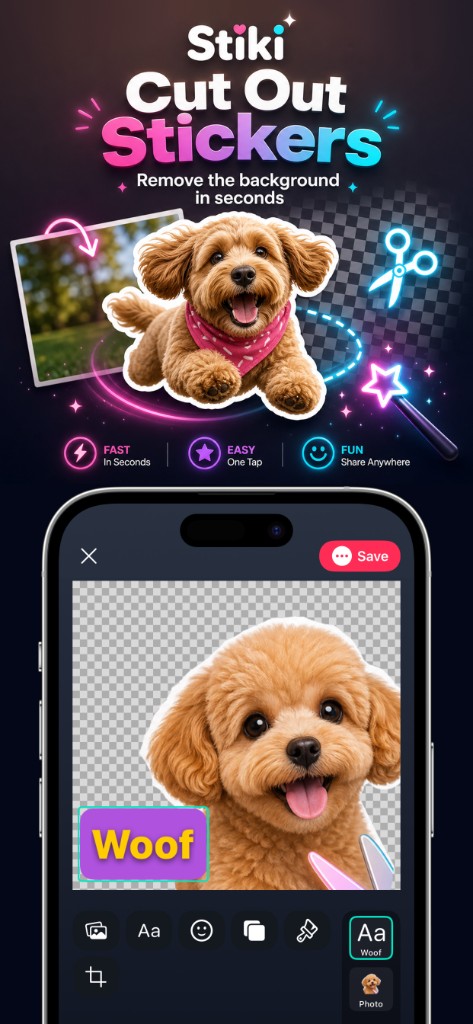
Stiki cut out stickers preview
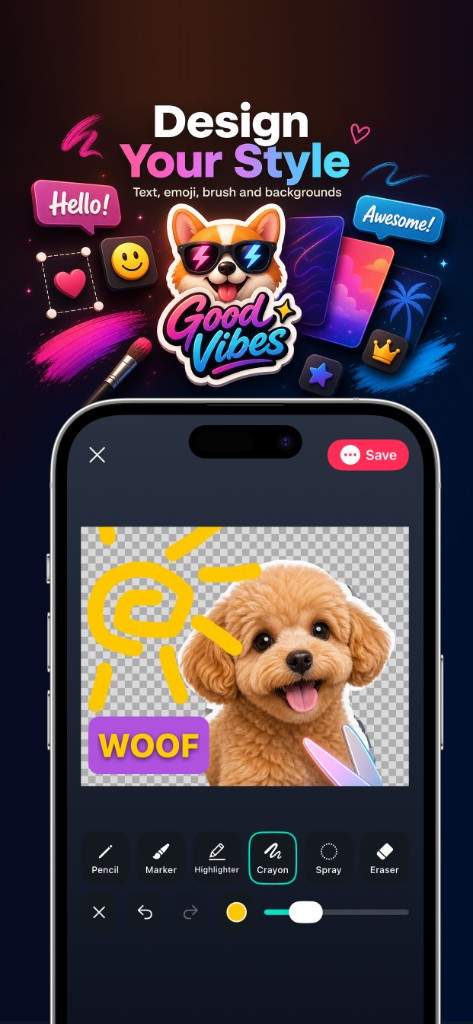
Stiki design tools preview
Stiki sharing flow preview

Stiki in one line. Design stickers that stay sharp when you pinch‑zoom, peel off clean transparency, and survive the everyday flow of WhatsApp, Telegram and Messages—without juggling half a dozen workarounds.

The workflow creative people actually use

Pull in a crisp photo—from camera roll or a fresh capture. Cut the subject cleanly (smart assist when you’d rather swipe than scribble manual masks). Composite on canvas: reposition, reorder layers, tweak until it feels unmistakably yours. Push to standalone stickers or tuck into a curated pack—you choose the storyline.

Transparent PNGs, layers & packs.
Built for real keyboards.

Sharp transparent stickers

Transparent PNG stickers built for real keyboards—not flattened, muddy exports.

Multi-layer scenes

Crop a subject, dial in typography, tuck in playful emoji stacks—all on one canvas.

Organised packs

Packs (“albums”) keep commissions, meme sets and sticker drops separate—export when you’re ready.

Chat-ready export paths

Guidance for adding stickers to WhatsApp packs, Telegram import flows and the Messages sticker drawer—the wiring, handled for you.

From photo to
finished sticker.

1

Import

Bring in a crisp photo from your library or capture a new shot.

2

Cut out

Isolate the subject with assisted tools when you want speed over hand-drawn masks.

3

Compose

Work on canvas: move layers, reorder, refine until the result feels right.

4

Share or pack

Save as standalone stickers or place them into a pack you curate for each project.

Transparency first.
Controls up front.

How Stiki handles photos, local projects, analytics and optional system features is documented in one place.

Read privacy policy

Contact support

Have a question, suggestion, or found something that does not look right? Send a message and we will reply as soon as we can.

Message sent. We will reply to your inbox shortly.